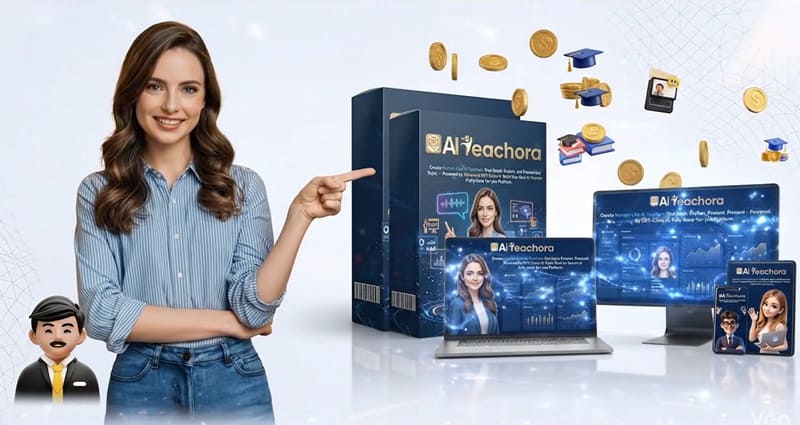
What Is AI Teachora?
AI Teachora is an all-in-one AI platform designed to help you create and run a complete online teaching system—without doing the traditional “teaching” work yourself. Instead of recording lessons, writing scripts, explaining concepts manually. You simply enter a topic…and the system generates:
- A human-like AI teacher
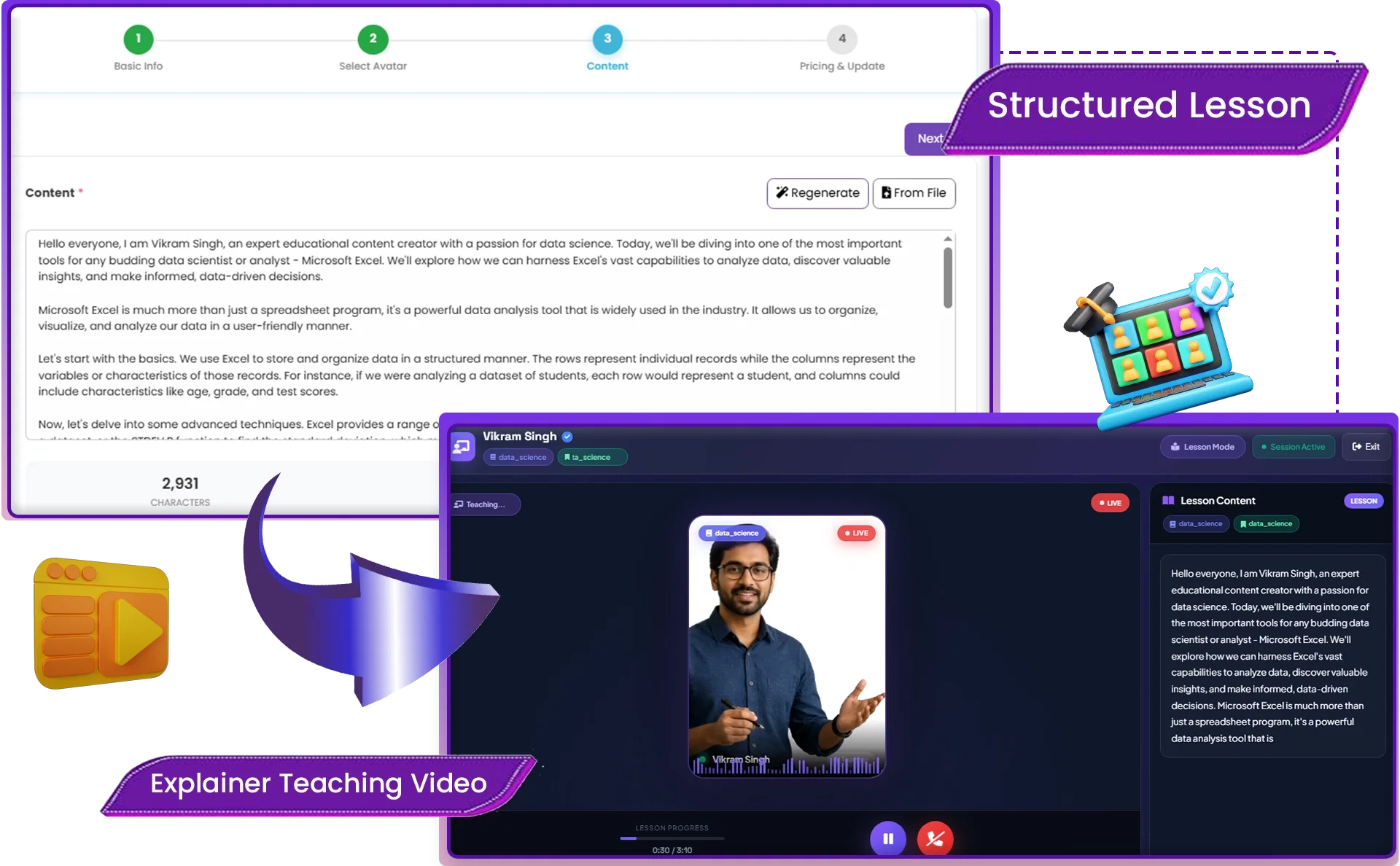
- Full teaching videos
- Structured lessons
- A working teaching platform
- Even a Q&A system for students
In other words, you’re not just creating content—you’re building a digital teacher that works for you 24/7. What makes it different from typical AI tools is that it doesn’t just generate videos or text. It combines everything into a complete system:
- Content creation
- Teaching delivery
- Student interaction
- Monetization
All from one dashboard.
Zero to Automated Academy in 3 Simple Steps
01. Input Your Topic: Simply type what you want to teach. AI Teachora’s engine instantly researches the topic and builds a comprehensive, structured course framework for you.

02. Design Your Teacher: Choose your AI avatar and voice. Whether you use our library or your own assets, our system creates a high-fidelity digital instructor in minutes—no camera or microphone required.

03. Scale Your Business: Go live instantly. Your AI teacher handles the delivery, grading, and 24/7 student Q&A, while you manage your entire revenue stream from one central dashboard.


About The Creator

AI Teachora was created by Rick Nguyen, a well-known name in the digital product space, especially when it comes to building automation tools for online income.
If you’ve been around this space for a while, you’ve probably seen some of his other products like ViraBuild AI, EBFusion, AI Beast, EBPilot, TeeStik, Storix, Booklytic, AIDigiMaker, and AI Travel Blog. Most of them follow a similar idea—helping everyday users launch online projects faster without getting stuck in technical complexity.
AI Teachora Key Features
✅Human-Like AI Teacher Generator
AI Teachora allows you to create lifelike digital teachers with natural expressions, realistic voices, and professional teaching presence. You can choose from ready-made avatars or upload your own image to personalize the teacher. This means you don’t need to appear on camera or record videos yourself.
✅ AI Teaching Brain & Explanation Engine
At the heart of AI Teachora is its teaching intelligence. It automatically understands any topic, structures lessons, and explains concepts clearly—without requiring you to be a subject expert. Whether it’s finance, fitness, marketing, or languages, the AI breaks down complex ideas into digestible lessons.
✅AI Voice & Lip-Sync Delivery Engine
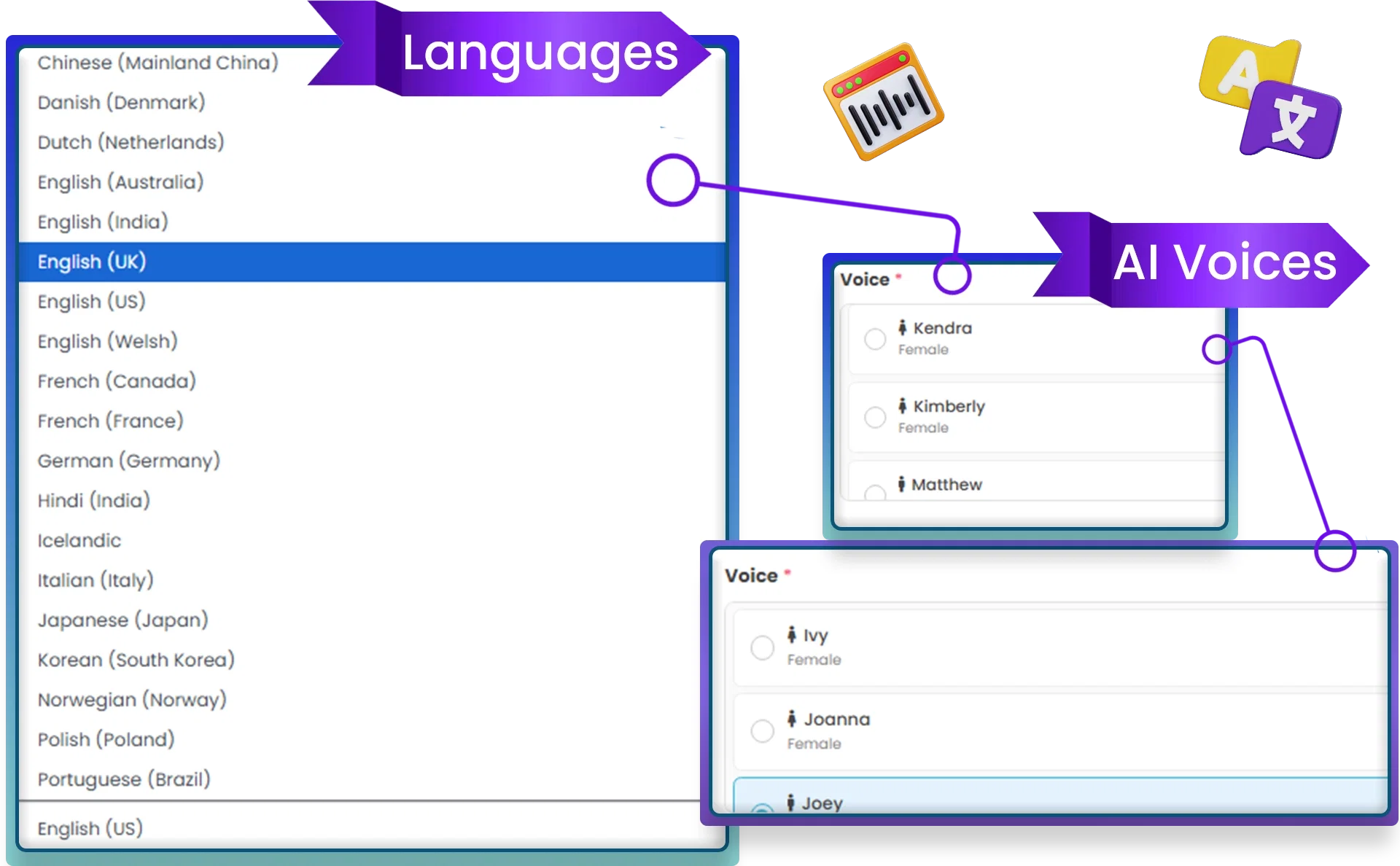
Forget robotic narration. AI Teachora generates natural, human-like voices with perfect lip-sync and emotional delivery. It supports multiple languages, making it ideal for global audiences. The voice adapts to tone and pacing, creating a professional teaching experience.
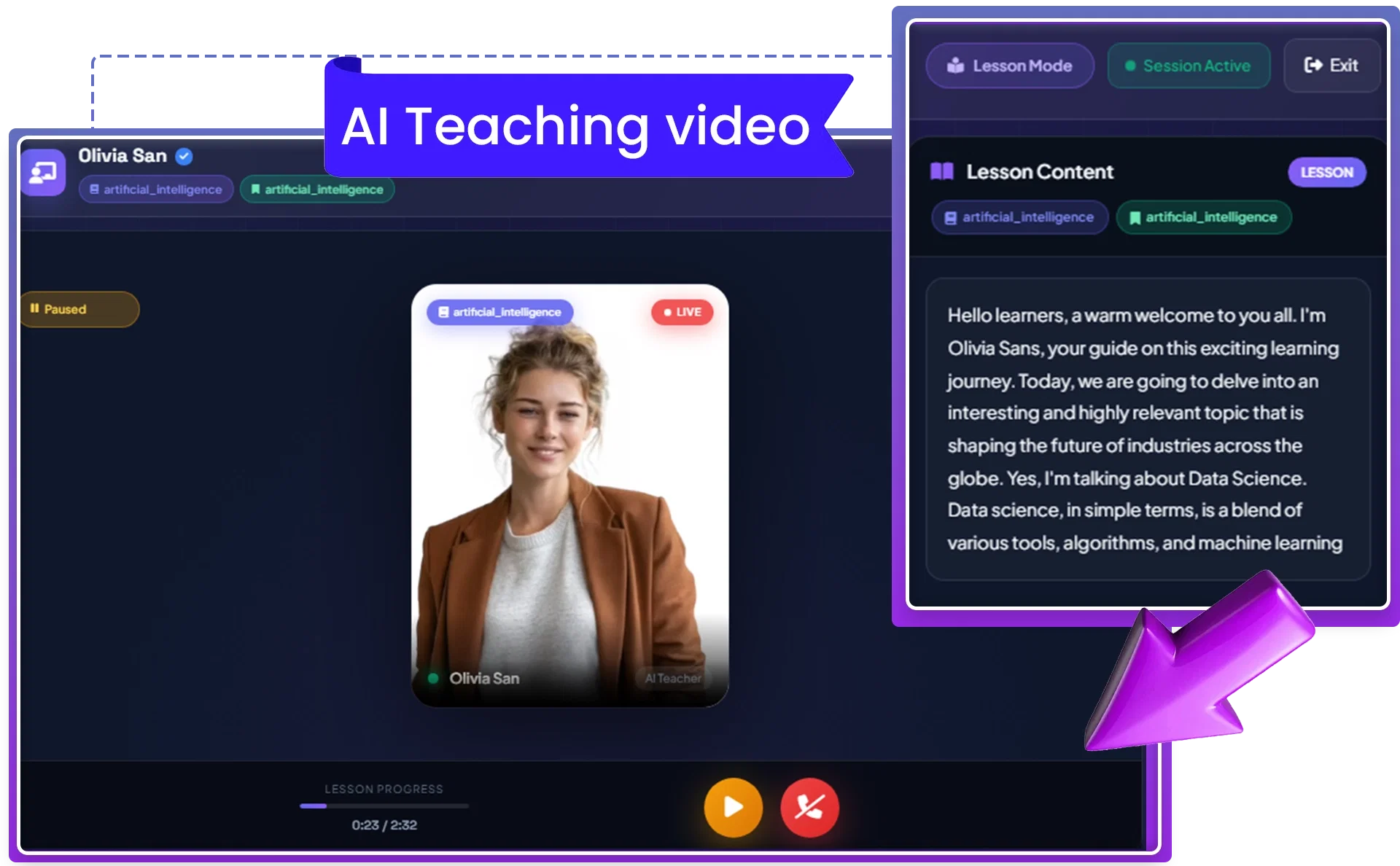
✅AI Teaching Video Generator
This feature produces complete teaching videos—including scripts, visuals, voice, and delivery—in minutes. You don’t need to write, film, or edit anything. The system handles everything, giving you ready-to-use videos for your platform or social channels.
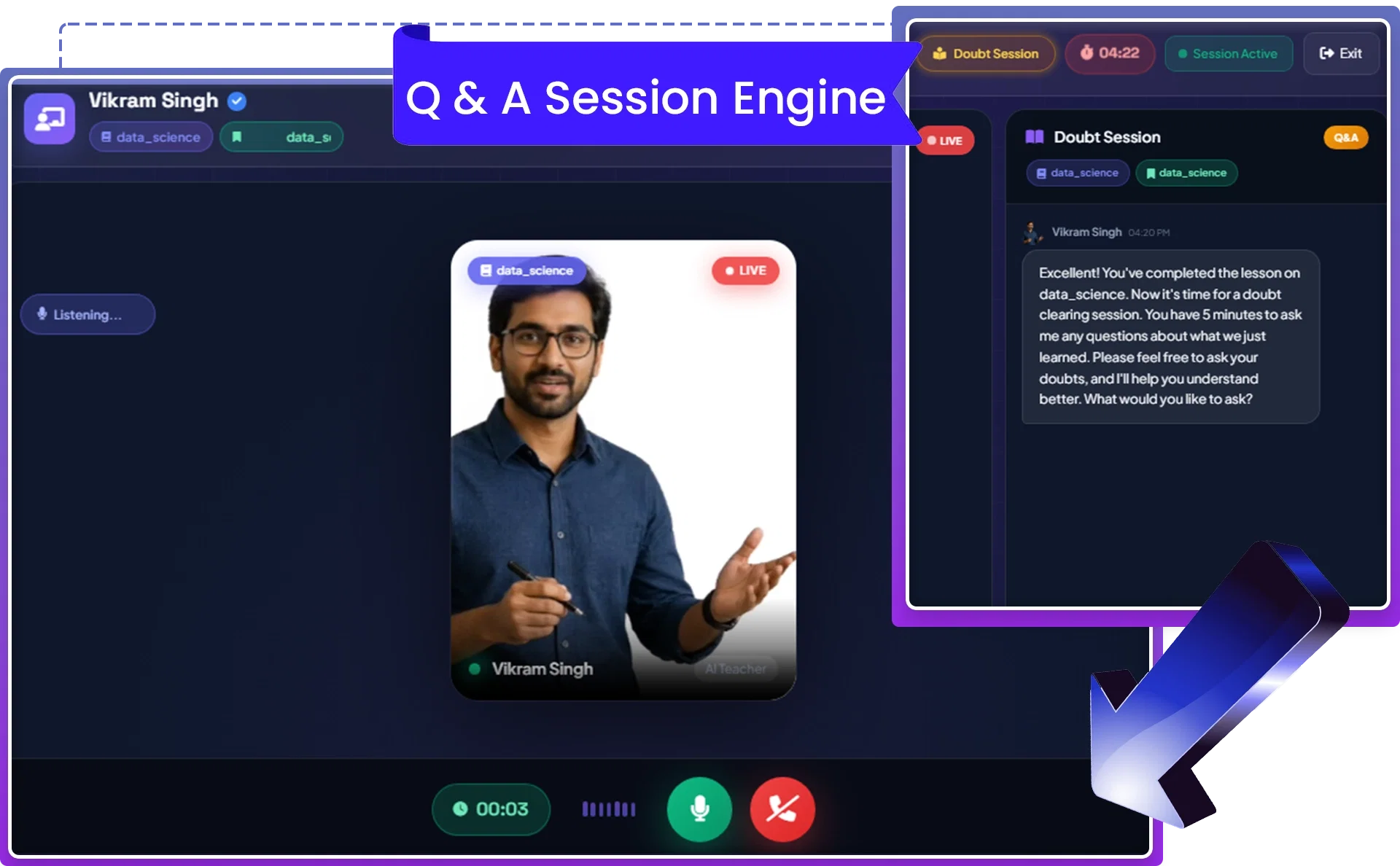
✅AI Student Q&A & Doubt Engine
Unlike static video tools, AI Teachora enables real-time interaction. Students can ask questions, and the AI teacher responds intelligently, just like in a live classroom. This keeps learners engaged and helps them clarify doubts instantly.
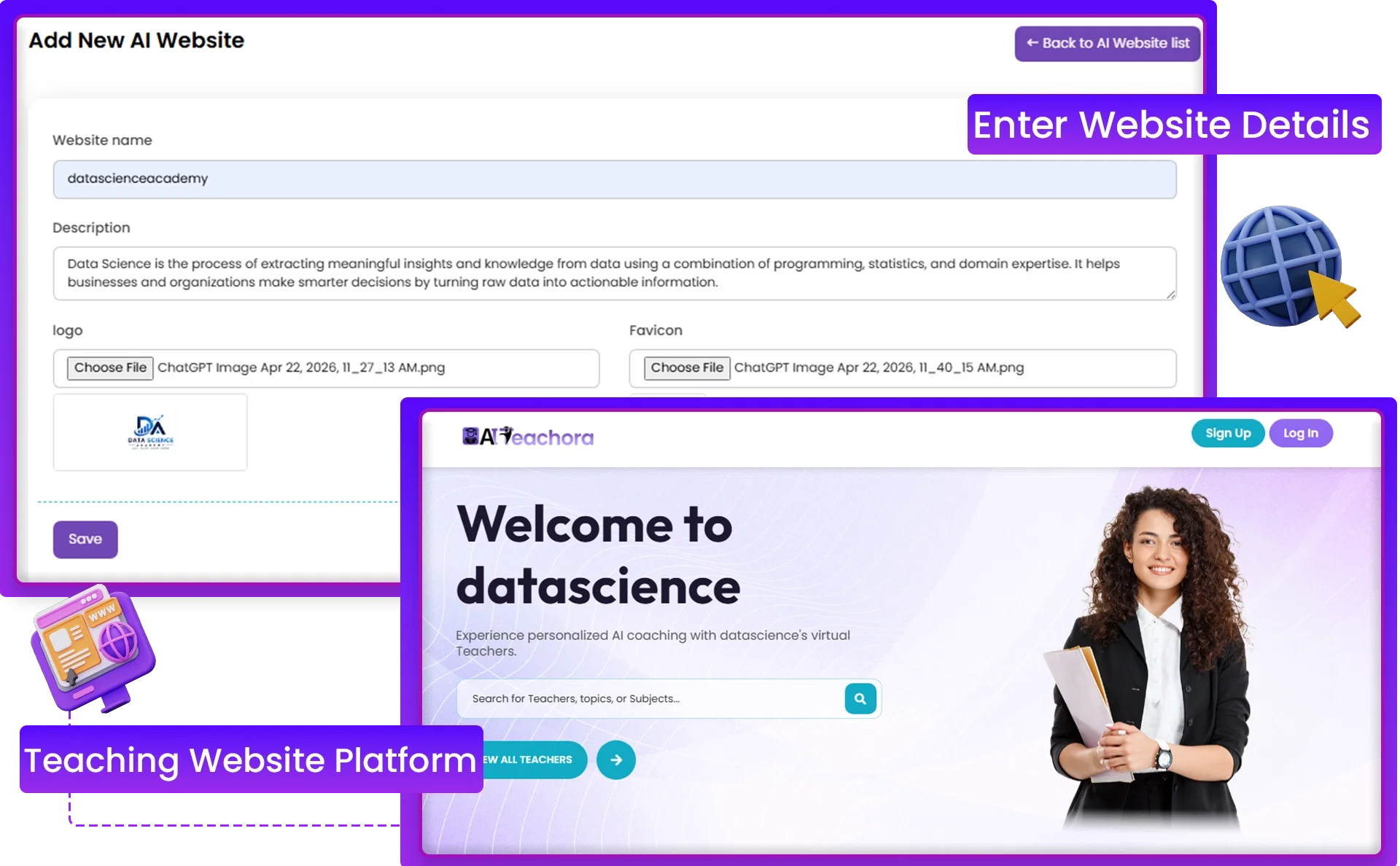
✅AI Teaching Website Builder
AI Teachora includes a done-for-you website builder. You can launch your own branded teaching platform where students can browse courses, enroll, and interact with your AI teachers. No coding or technical setup is required.
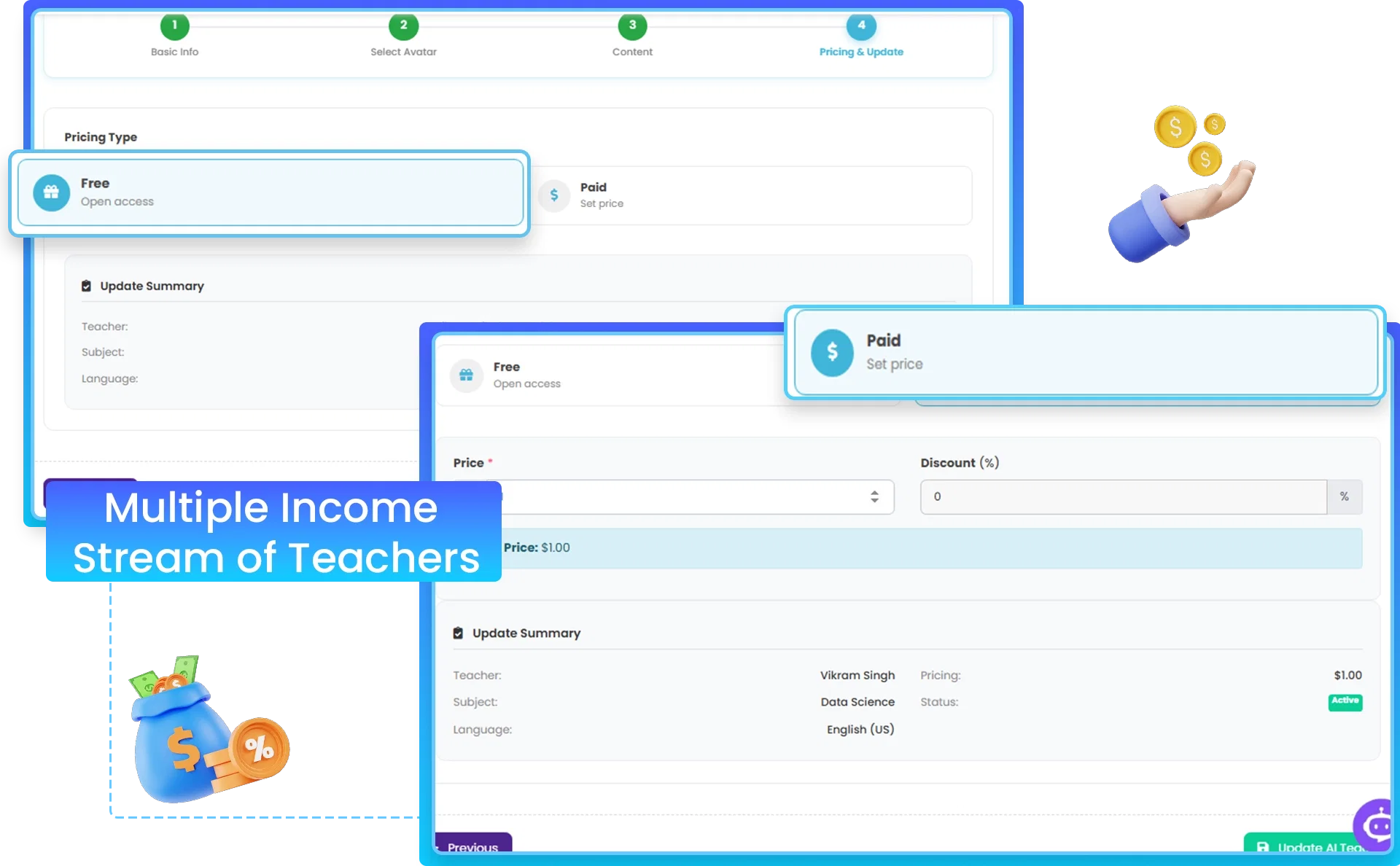
✅Built-In Monetization System
Monetization is built into the platform. You can sell access to individual teachers, topics, or full learning systems. This creates multiple income streams from one dashboard, whether you’re targeting students directly or offering services to businesses.
✅Student Dashboard System
Each student gets a personal learning portal where they can watch lessons, revisit content, and ask questions. This increases engagement, retention, and overall satisfaction with your teaching system.
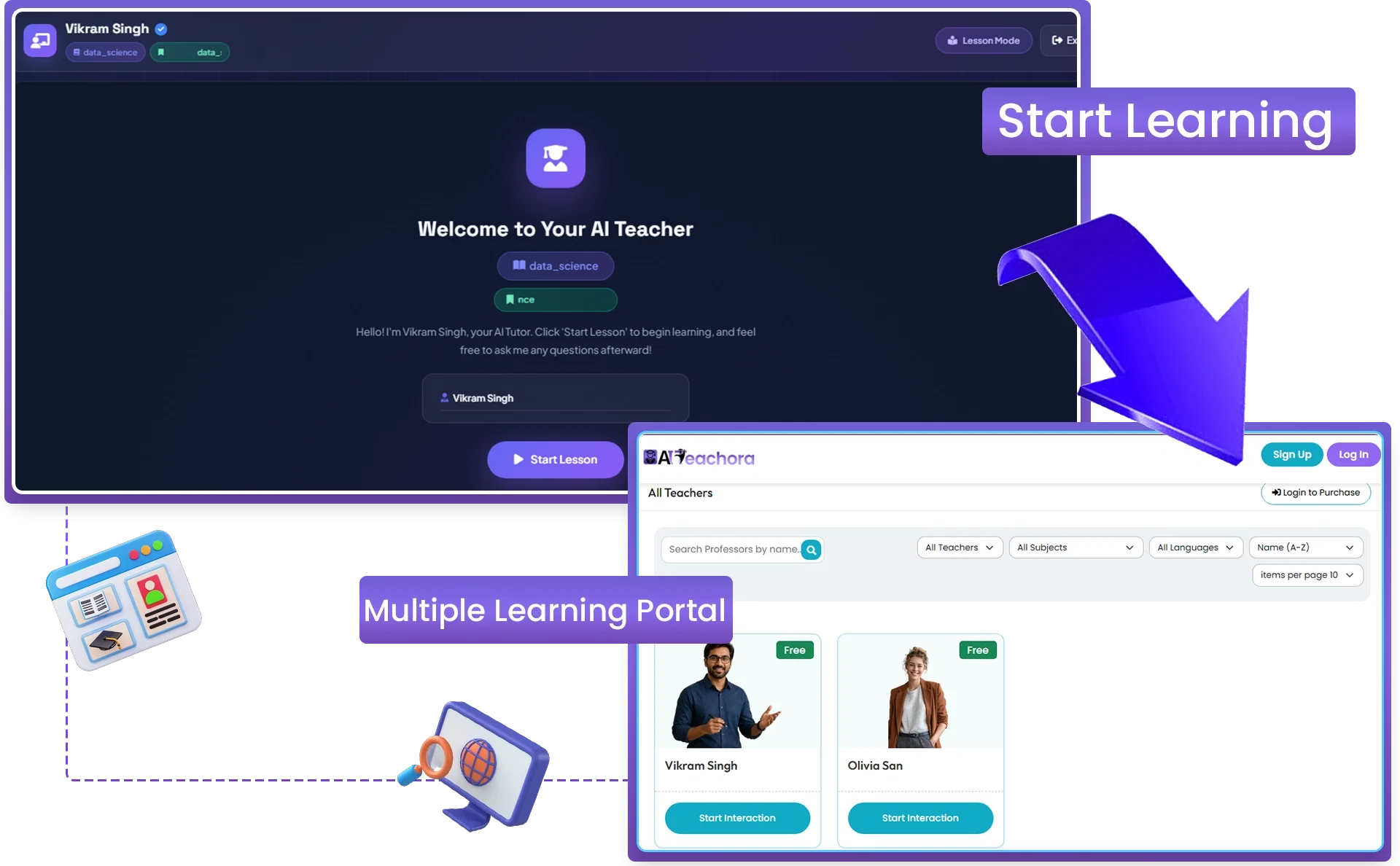
✅Multi-Teacher Scaling System
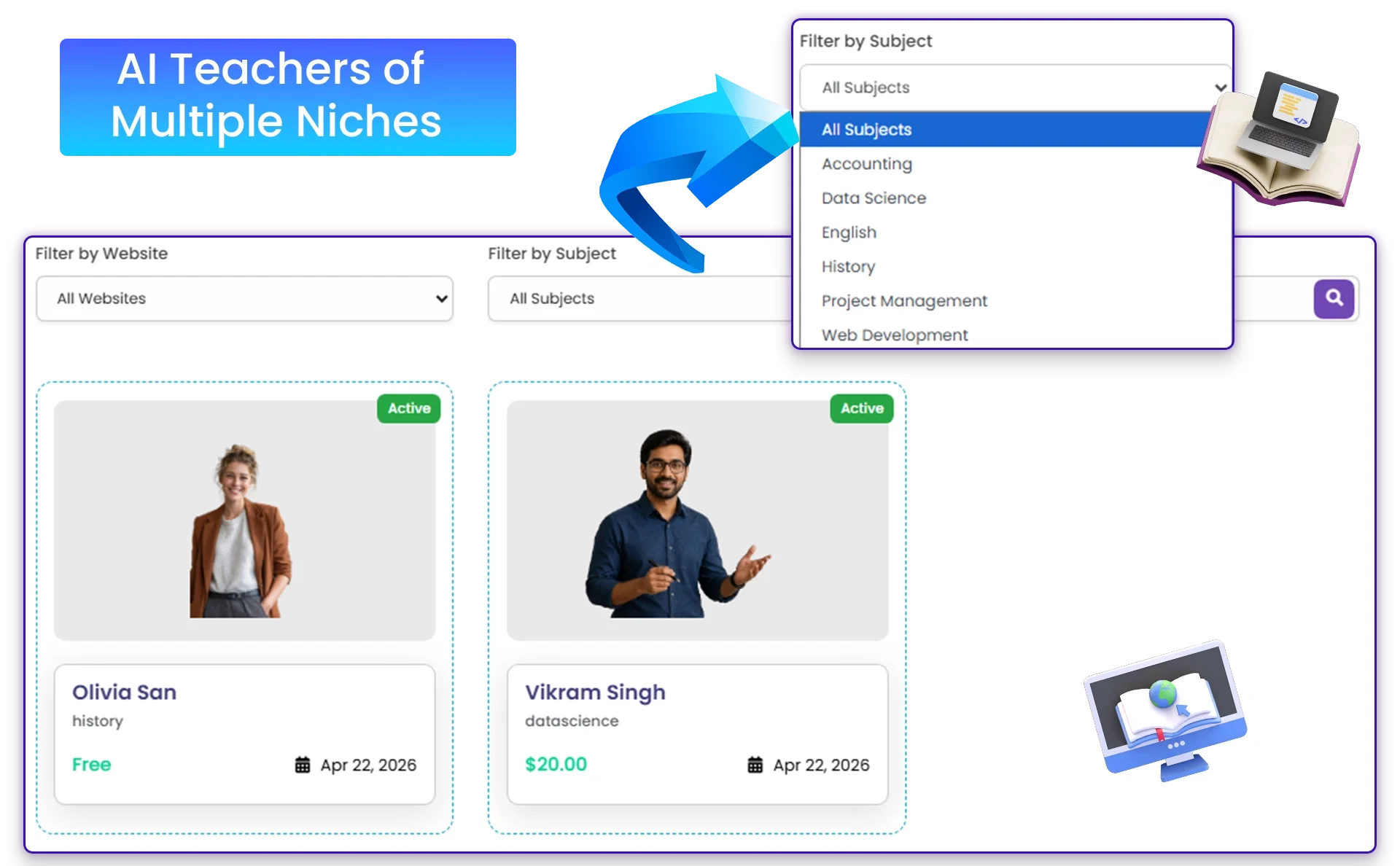
You’re not limited to one teacher. AI Teachora lets you create unlimited AI teachers across different niches. Each teacher becomes a digital asset, generating content and income simultaneously. This makes scaling effortless.
✅AI Content Repurposing Engine
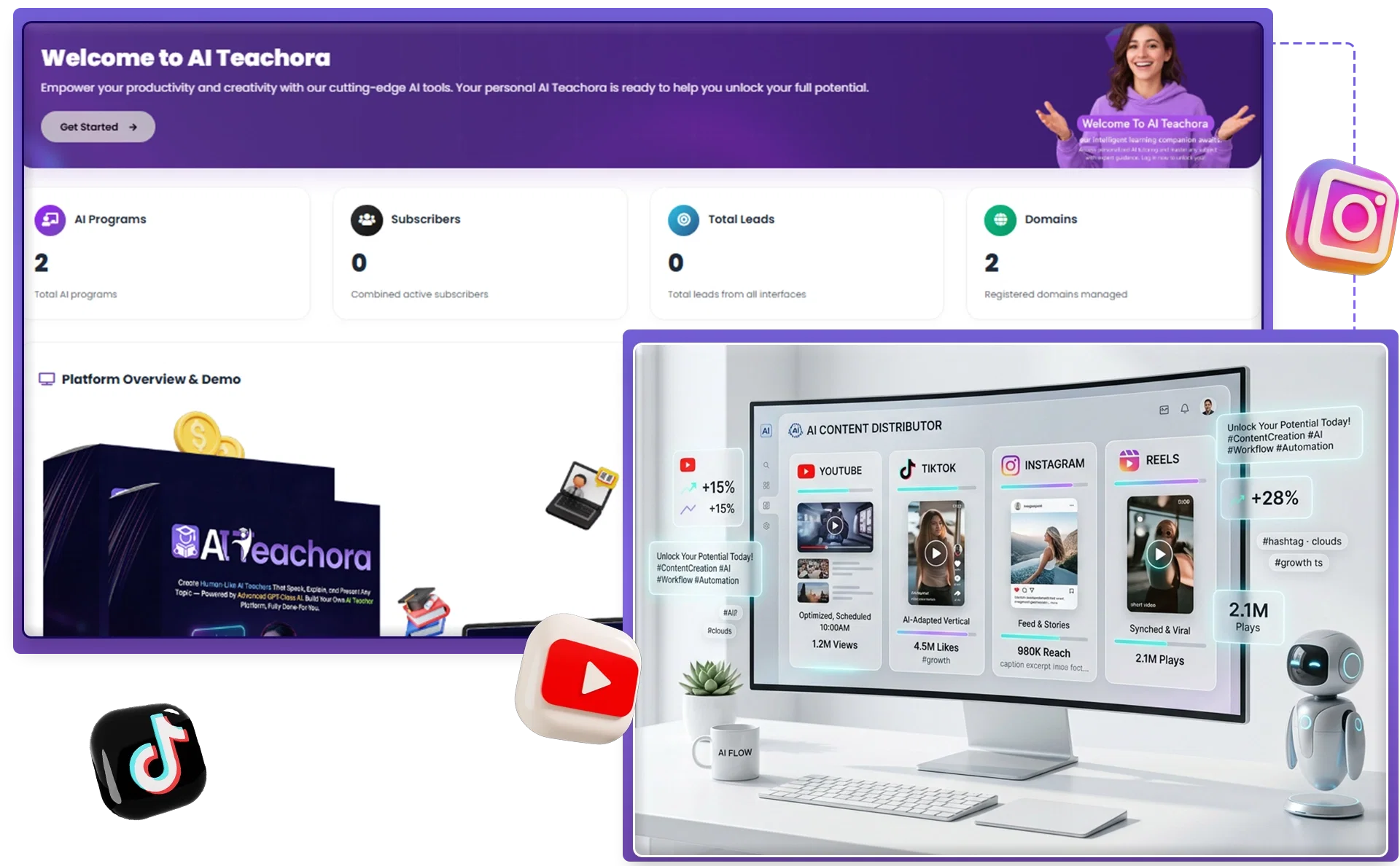
AI Teachora helps you repurpose teaching videos into content for YouTube, TikTok, Instagram, Reels, and more. It even includes built-in AI copywriting to optimize engagement. This means you can expand your reach across multiple platforms without extra effort.
✅Commercial License Included
With the commercial license, you can create AI teachers for clients, businesses, or training programs and keep 100% of the profits. This opens up opportunities for freelancers, agencies, and consultants to offer AI-powered teaching as a service.
✅Cloud-Based Platform
AI Teachora is 100% cloud-based. You can access it from any device, anywhere, without downloads or installations. This makes it flexible and convenient for users at all levels.
✅Beginner-Friendly Dashboard
The platform is designed for simplicity. With a three-click workflow, even complete beginners can create and launch their first AI teacher in minutes. If you can type a topic, you can use AI Teachora.
✅Dedicated Support & Training
AI Teachora includes beginner training and a dedicated support team. Step-by-step tutorials guide you through creating your first AI teacher, and support is available whenever you need help.

👉 Get AI Teachora At An Exclusively Discounted Price 📌
DEMO VIDEO
How Much Does AI Teachora Cost?
❤️ AI Teachora Front End ($15.99)
I grabbed AI Teachora for a one-time $15.99—no subscriptions, just done.
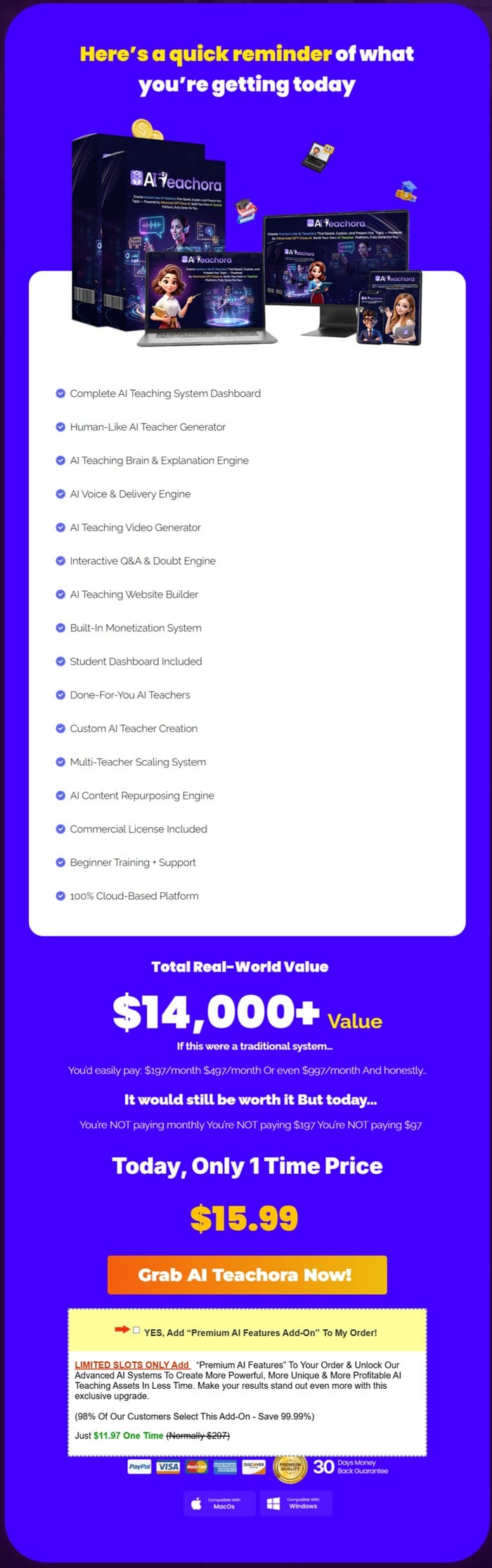
Most AI tools handle one tiny task: one writes text, another makes videos, a third builds avatars, and so on. AI Teachora pulls it all together into a seamless workflow. It creates a full AI teacher that explains topics, delivers lessons, answers student questions, and runs a ready-to-go teaching platform.
What hooked me? It’s not just an avatar maker or content spinner. You input a topic, and it builds everything: lesson structure, a human-like teacher, engaging content, a student dashboard, and simple access sharing—all in one spot. Perfect for marketers, creators, coaches, agencies, or total beginners like me.
Plus, it includes a Commercial License (create AI teachers for clients, keep 100% profits) and a 30-Day Money-Back Guarantee (full refund if tech issues block you). If you’re tired of “content-only” AI hype and want something practical for real teaching or client work, give it a shot.
Use these coupons at checkout:
- AITEACH5 ($5 off)
- AITEACH30 (30% off)

The Upsells/ OTOs
➡️ OTO 1: AI Teachora Unlimited ($37)
This upgrade basically removes all the limits. Instead of worrying about caps, you can:
- create as many AI teachers as you want
- generate unlimited videos, lessons, and scripts
- build multiple teaching websites and student dashboards
- run unlimited Q&A sessions
- use different languages without restrictions
- and even handle client work without hitting usage limits
You also get faster processing, which helps if you’re planning to create content regularly.
➡️ OTO 2: AI Teachora Done-For-You ($37)
This is for people who don’t want to figure things out themselves. With this upgrade, the team:
- sets everything up for you
- builds your AI teaching system
- and gets it ready to launch
So instead of starting from scratch, you begin with something already done.
➡️ OTO 3: AI Teachora Automation ($47 / $37)
This upgrade focuses on making your system more hands-off. It’s designed to turn your setup into something that:
- runs continuously
- delivers lessons automatically
- and keeps working in the background
So instead of just creating teachers, you’re building something that operates more like a system.
➡️ OTO 4: AI Teachora Traffic ($47 / $37)
This one is all about getting people to your offer. It gives you access to traffic sources that are meant to:
- bring in potential buyers
- help you get visibility faster
- and test your projects without starting from zero
➡️ OTO 5: AI Teachora Agency ($127)
This upgrade lets you turn AI Teachora into a service. You can:
- offer AI teacher creation to clients
- charge for building training systems or content
- and keep the profits
➡️ OTO 6: AI Teachora Whitelabel ($497 / $297)
This is the most advanced option. It allows you to:
- rebrand the software as your own
- run it like your own platform
- and essentially enter the software business
It also includes setup, so you’re not starting from scratch.
👉 Get AI Teachora OTOs And Coupon Code Right Here! 📌
Why Should You Choose AI Teachora?
My Personal Experience With AI Teachora
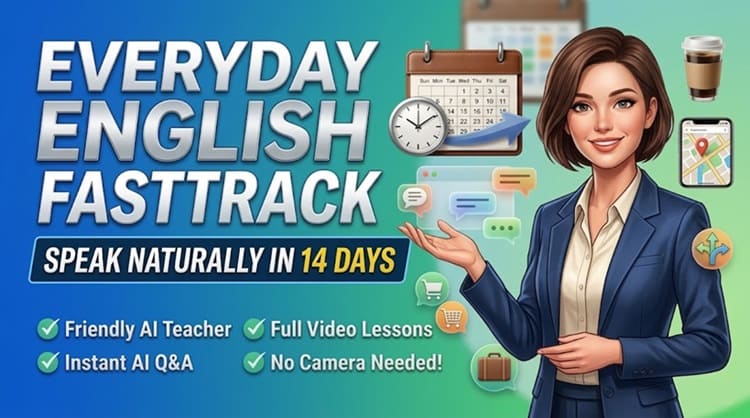
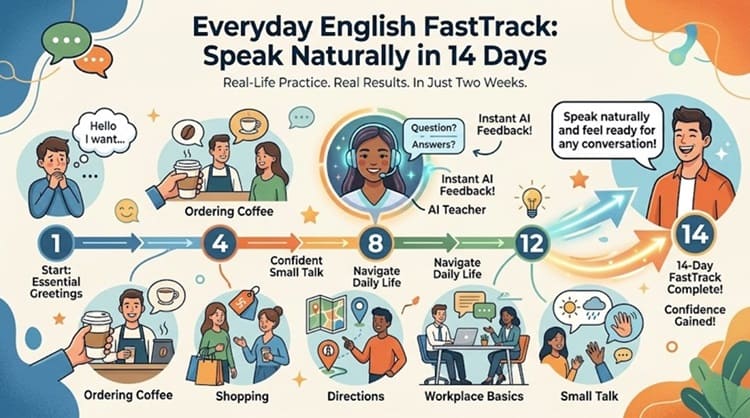
I created a small project called “Everyday English FastTrack: Speak Naturally in 14 Days”. I picked the language niche for a simple reason: there’s always demand, especially for practical English.
What I Built Inside AI Teachora
Using AI Teachora, I created a complete mini learning system.
Here’s what I included:
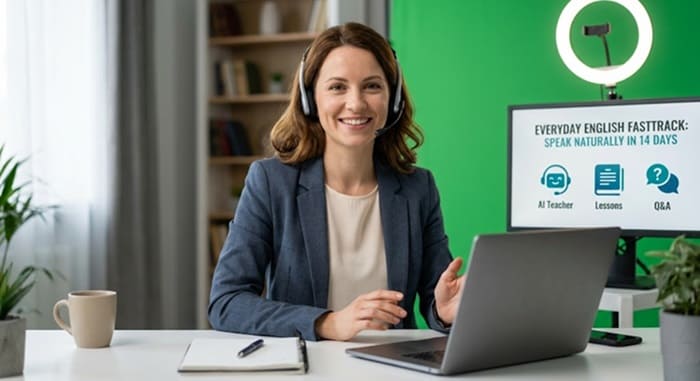
1. AI Teacher
- A friendly, conversational-style English teacher
- Natural voice and pacing (not too fast, not robotic)
- Focused on beginner-level explanations
2. Lesson Structure (14 Lessons Total)
I broke it down into practical, real-life situations:
- Greetings & introductions
- Daily routines
- Ordering food
- Shopping conversations
- Asking for directions
- Workplace basics
- Small talk & common phrases
Each lesson was short and focused—no fluff.
Phase 1: The Basics (Days 1-4)
Phase 2: Real-World Scenarios (Days 5-9)
Phase 3: Work & Social Life (Days 10-14)
|
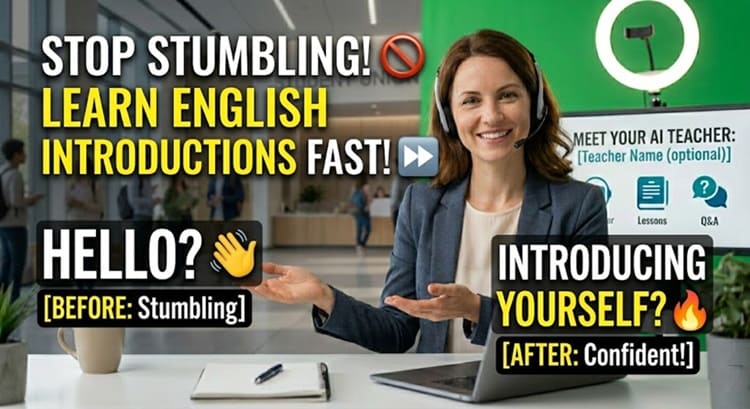
3. Teaching Videos
- Each lesson was about 3–6 minutes
- Straight to the point
- Easy to replay
4. Simple Student Experience
- One clean page where users could access all lessons
- Organized in order (so beginners don’t feel lost)
5. Q&A Feature
This part surprised me. Students could:
- Ask things like “What does this phrase mean?”
- Or “Can you give another example?”
And the AI teacher would respond instantly.
How Long It Took Me
👉 Amazing Discounted Price Right Here! 📌
Conclusion
That’s all what I want to share with you about AI Teachora. I hope that my review can give you a helping hand in deciding what is best for you.
Important Reminder: When you purchase this product through my special link, you’ll unlock exclusive, valuable bonuses that you won’t find anywhere else! (Please note: these bonuses are only available with the full purchase-not with trial or free versions.)
To claim your bonus gifts, simply complete these two easy steps:
⏩ Step 1: Click the Buy Now button below to secure your copy of this product.

⏩ Step 2: Once your purchase is confirmed, just send a copy of your receipt to paulreview99@gmail.com. I’ll verify your order and personally send you all the details on how to access your bonus materials.
»»VIP Bonus Package 2026««
»»Graphic Bonus Package««
»»Theme Bonus Package««
»»Plugin Bonus Package««
»»General Bonus Package««


Leave a Reply